
An annual inspection finds a blocked exit. The inspector records the condition, the office issues a notice, and the property manager needs a follow-up visit. Command Established keeps that work connected: the occupancy, checklist, findings, signed inspection, and documents all stay within reach.
See a complete inspection walkthrough · Schedule a demo · View pricing
See Upcoming Visits and Completed Work
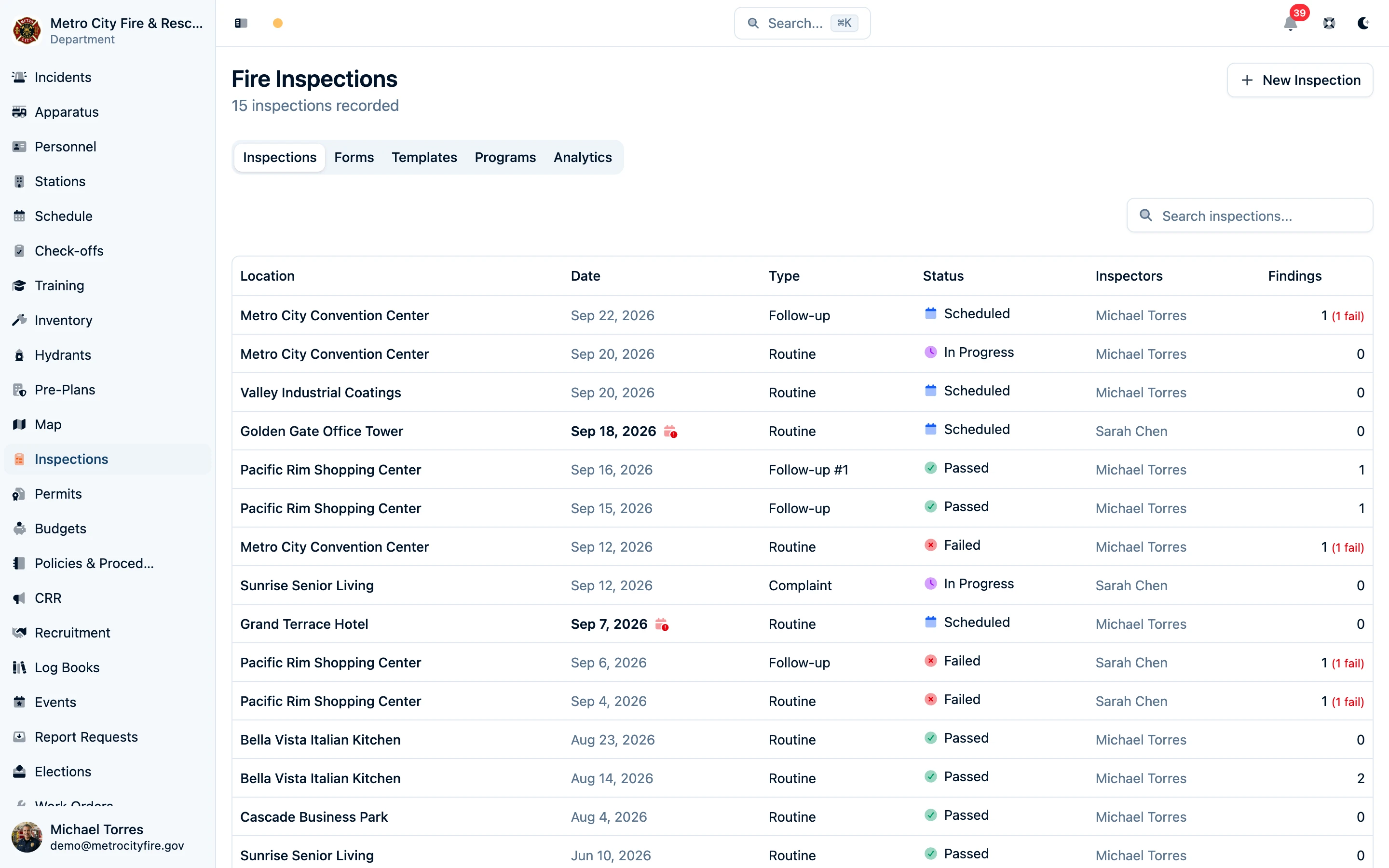
Search the inspections list by property or inspector. Review each visit's scheduled date, type, status, assigned inspectors, and finding counts, then open it to continue the work or review its completed record.
Start With the Building and Its History
Open a Place to find its contacts, pre-plans, open findings, inspection program due dates, and upcoming visits. The history brings past inspections, permits, incidents, and other department activity together. Start the next inspection from the Place with its location already selected.
Several businesses can share an address. Separate Place records keep each occupancy's work and contacts attached to the right business.

Give Recurring Inspections a Schedule
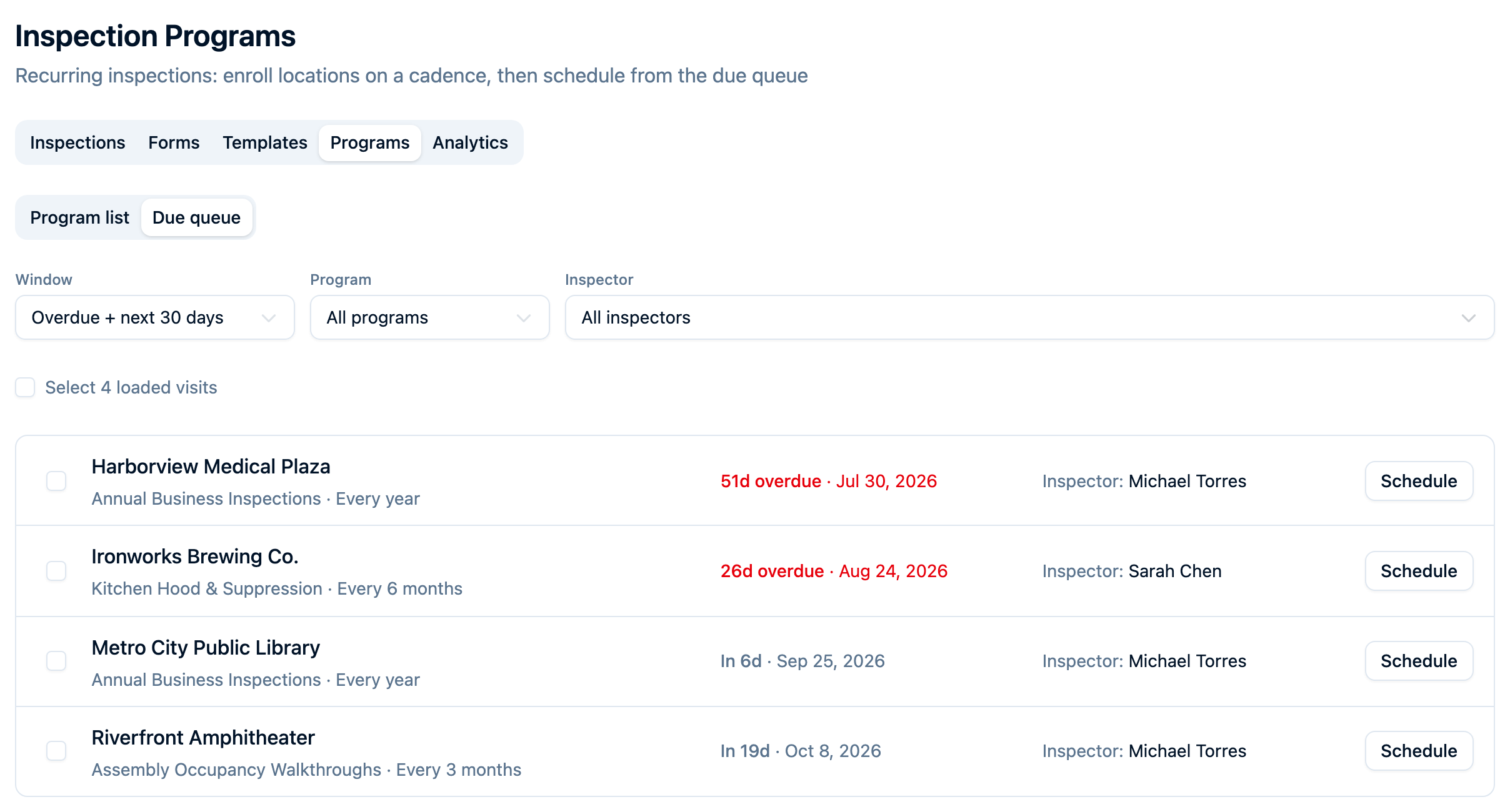
Set up programs for the work your department repeats: annual business inspections, kitchen inspections, or assembly walkthroughs. Choose the form and recurrence, then enroll the occupancies you inspect with their due dates and assigned inspectors.
Use the due queue to find work that needs scheduling. Search for properties to enroll, adjust selected enrollments together, and schedule visits individually or in bulk. Completing a program visit calculates the next due date from its completion date and scheduled cadence. A failed visit can still need a separate reinspection.
Learn how to set up and manage inspection programs.
Carry Your Department's Checklist Into the Field
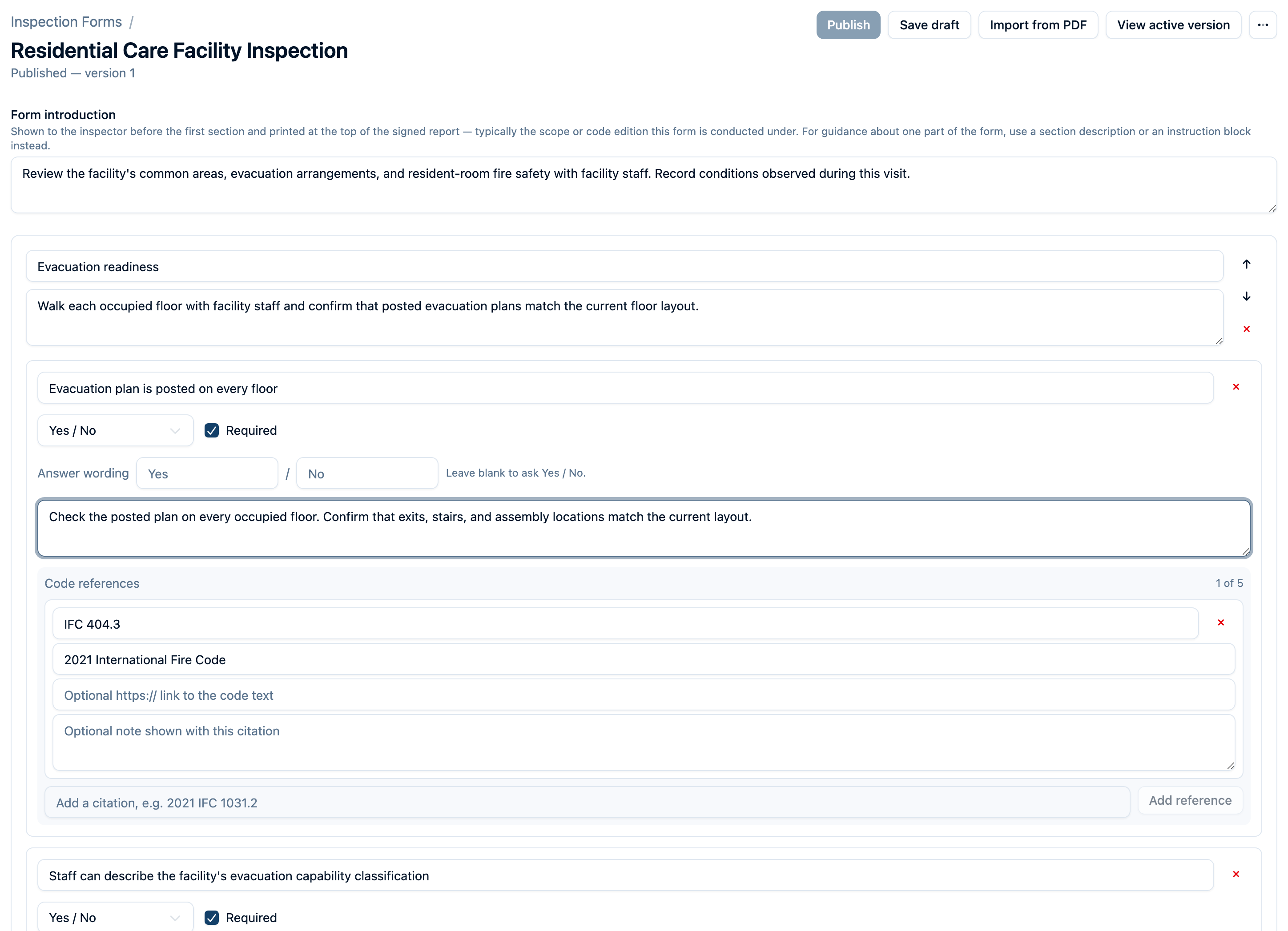
Build forms with sections, yes/no checks, multiple choice, numbers, dates, text, and photo requirements. Add guidance and the code references your department uses. Conditional questions let inspectors see the follow-up items that apply to their answers.
Already have a checklist PDF? Import it to generate a draft, then review the proposed questions and response types before publishing. Your department supplies and reviews its checklist content; Command Established does not include a licensed fire-code library.
On a connected tablet, inspectors work through the form, save answers, and attach photos to the questions they document. Findings capture the condition, its specific location, severity, and whether it was corrected on site. Before signing, the inspector reviews the result, required answers, findings, and evidence.
A completed inspection preserves its signed record and exact form version. Later checklist edits leave that record intact. Download a branded inspection report for the property owner or department files.
After the inspector signs, hand the tablet to the person on site to acknowledge receipt of the results. The signature confirms receipt only, not agreement. If no one signs, the inspector picks a common reason such as "Refused to sign" or "No one on site", or types their own. The acknowledgment appears on the inspection and its report. Administrators can turn the step off or change its wording under Settings → Legal Language.
Build your first inspection form. For field planning, see what is available offline: cached information is read-only, and saving inspection work requires a connection.
Give the Owner a Clear Next Step
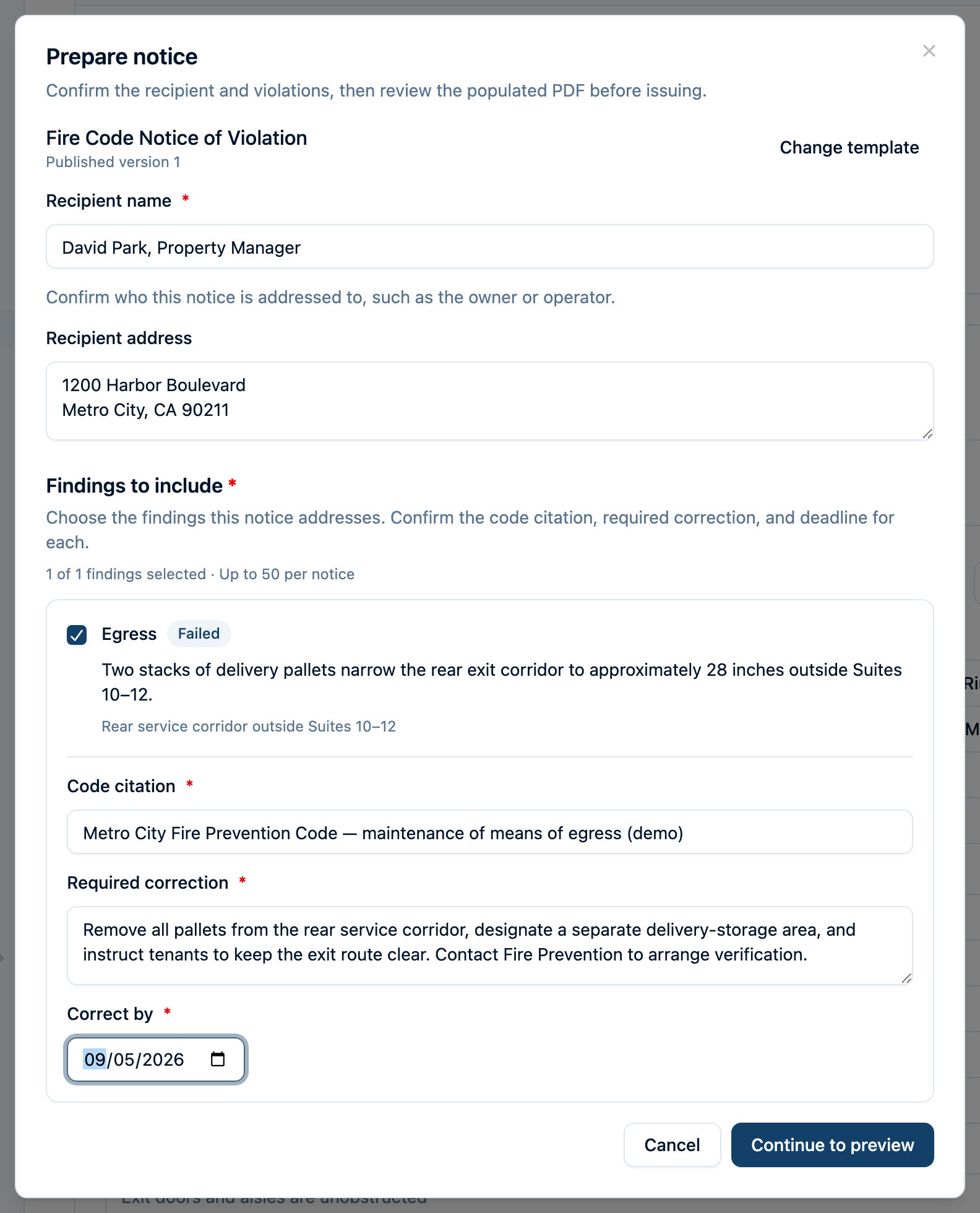
Issue certificates and notices of violation using your department's published templates. Review the populated PDF before issuing it. For a notice, select the findings to include and specify each citation, required correction, and deadline.
Email the saved PDF to the property's contacts or other recipients with a covering note. Each recipient receives a separate message and needs no Command Established account. Keep the issued copy and send history with the inspection, including failed or bounced attempts. Voiding a document retains the original PDF and the reason.
See template setup, issuance, and the owner's email.
Keep Follow-Up Connected to the Original Visit
Schedule a linked reinspection from a failed inspection. The location and inspectors carry forward into the scheduling dialog, where you choose the next visit's details. Record the follow-up as its own inspection so the original findings and signed result remain available.
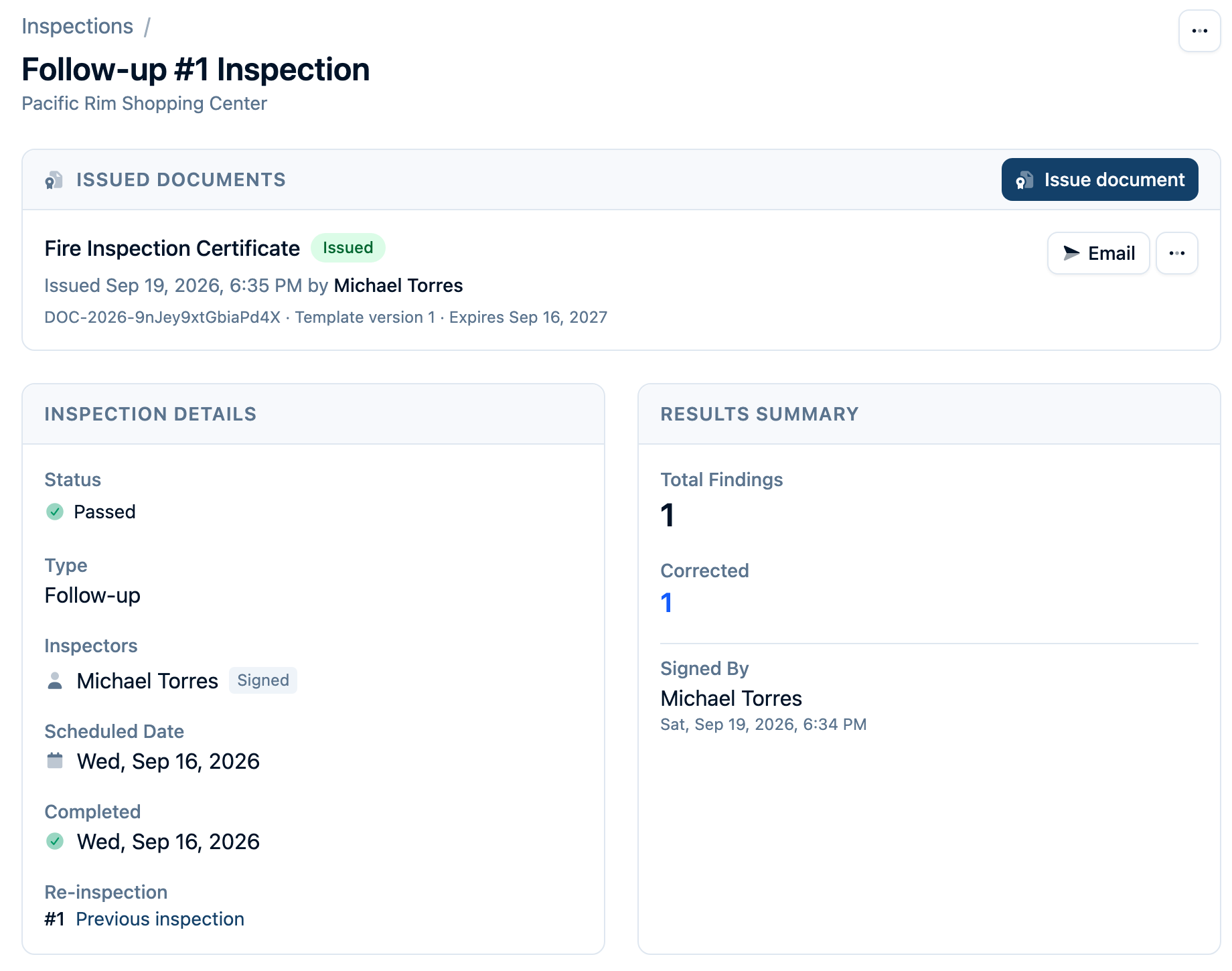
The inspection history and analytics help the office review completed work, pass rates, and common finding categories. Pre-plans, permits, and the Place's contacts give the next inspector or responding crew additional context about the same property.
Bring Your Existing Inspection History
Moving from MobileEyes, now called Fire Prevention Mobile? Our team has a migration process for occupancy records and historical inspection results. We review your available exports and the records you need before agreeing the migration scope. Imported history remains distinguishable from inspections completed and signed in Command Established.
Compare Command Established with MobileEyes, or talk with us about your data.
Walk Through Your Department's Work
Bring a checklist, an example notice, and the way you schedule recurring visits. We can walk through how that work fits Command Established, from the occupancy record to the owner's document.
Schedule an inspection demo · Start a free trial · See pricing