
Keep Your SOPs and SOGs Current, Signed, and Searchable
Command Established gives your department a complete Policies & Procedures system for both Standard Operating Procedures (SOPs) and Standard Operating Guidelines (SOGs) — a rich document editor, a structured approval workflow, optional comprehension quizzes, version history, scheduled review cycles, and signed acknowledgments from every member who needs to read them. No more binders of stale PDFs or guessing who's read the latest revision.
Mark each document as an SOP (mandatory directive) or an SOG (advisory guideline), filter and manage them side-by-side, and choose whether members must acknowledge it or whether it's published for informational reference only. Either way, you get the same rigorous workflow, audit trail, and review cadence.
Write SOPs and SOGs in a Purpose-Built Editor
The document editor is a full-featured WYSIWYG built for procedures and guidelines. Use headings, lists, tables, callouts, and inline images to structure your content the way you want it read. Drag and drop photos straight from a tablet during apparatus checks or training. Attach reference PDFs, MSDS sheets, and diagrams alongside the body of each document.
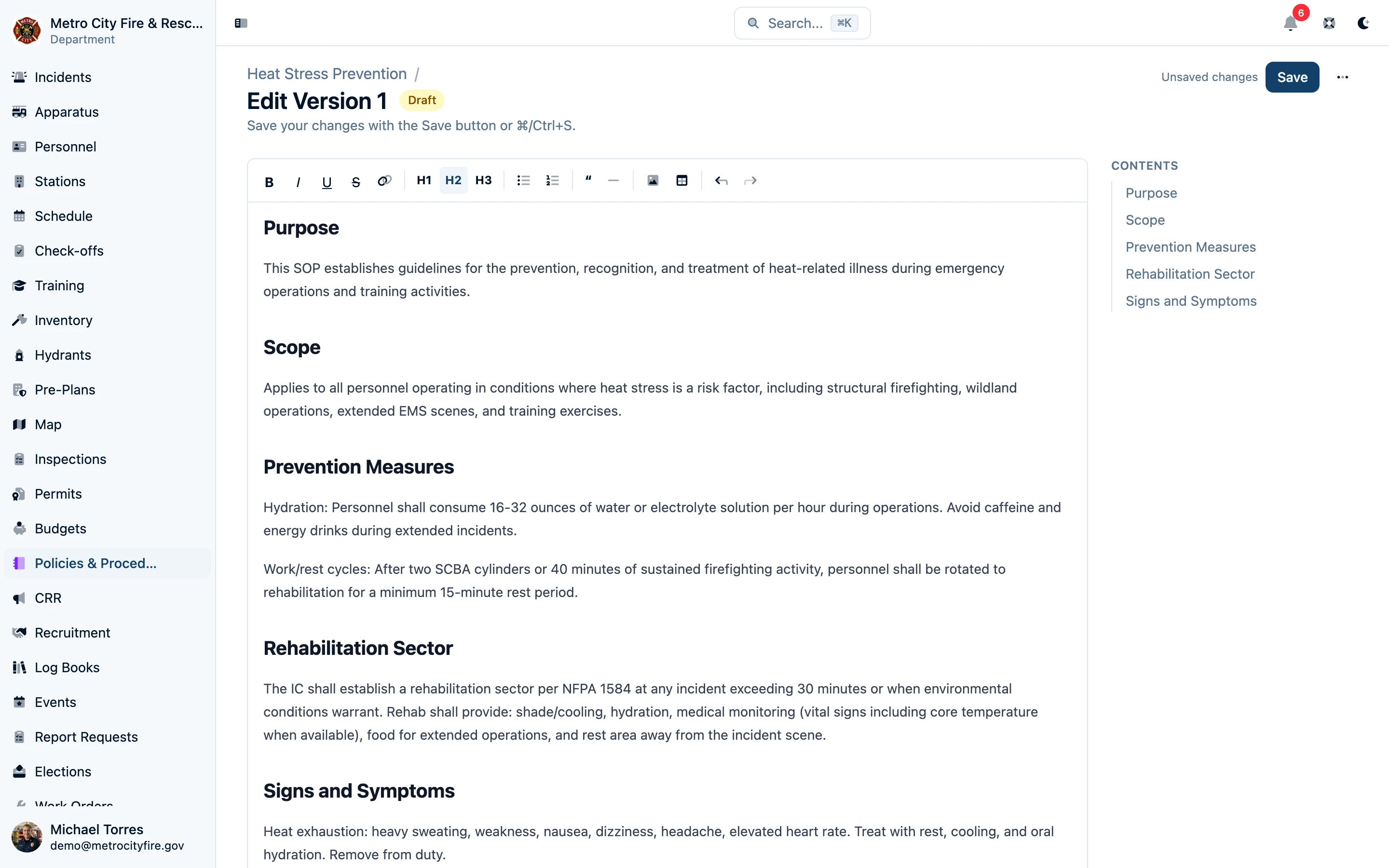
The purpose-built editor — format procedures with headings, lists, tables, links, callouts, and inline images while the live table of contents keeps long policies organized.
Every SOP or SOG gets a number, a category, and tags so your crews can find the right policy fast. Organize your library by Administration, Operations, EMS, Training, Safety, and Equipment — or whatever structure fits your department.
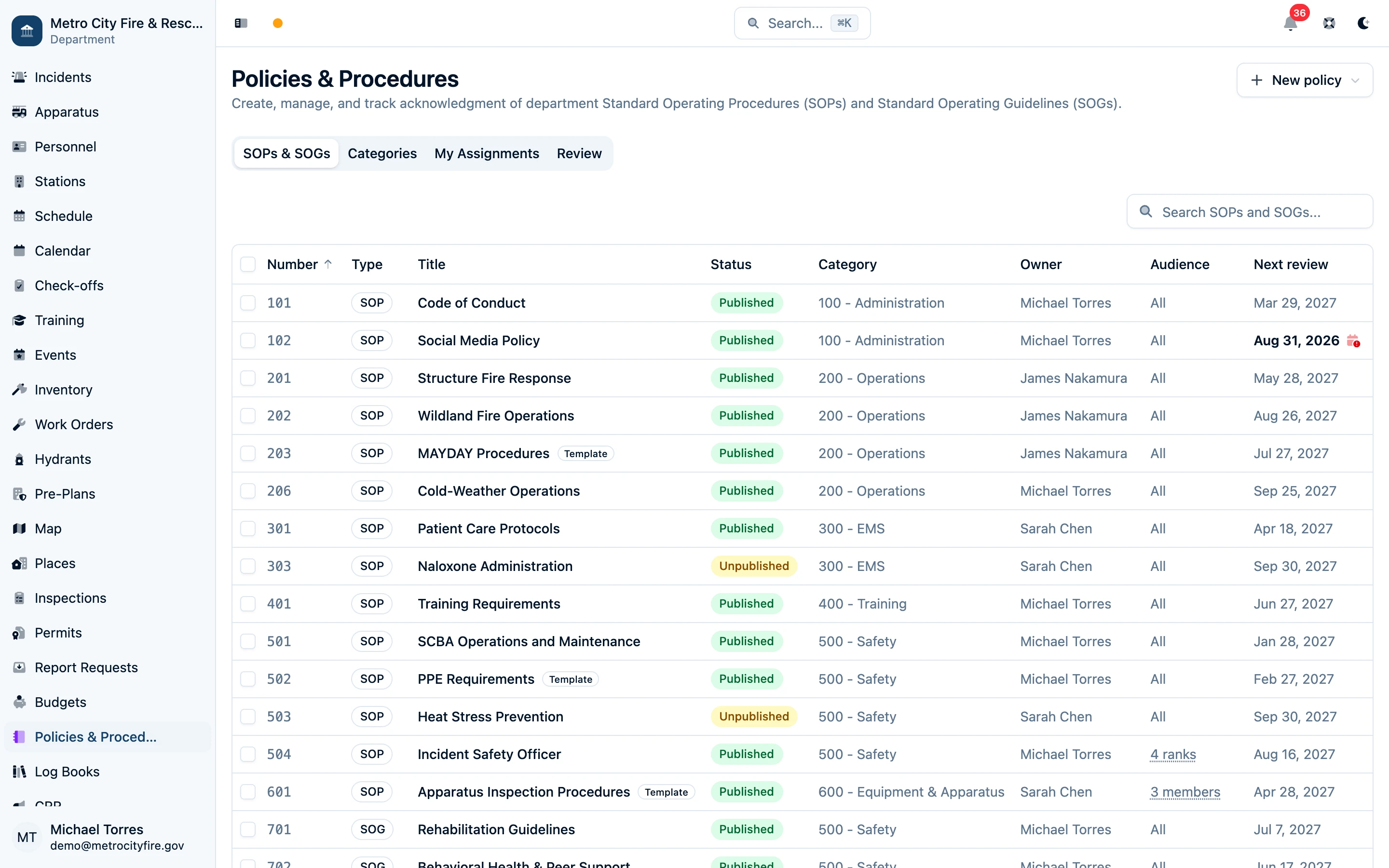
The Policies & Procedures library — filter SOPs and SOGs by type, category, status, owner, or audience and select documents for bulk actions.
Organize Your Policy Library in Bulk
Handing a division's policies to a new officer or reorganizing your categories? Select multiple SOPs and SOGs in the library, then use Owner to reassign them or Category to move them together. You can also archive a selection of retired policies after reviewing the confirmation. Each action is available according to your department permissions.
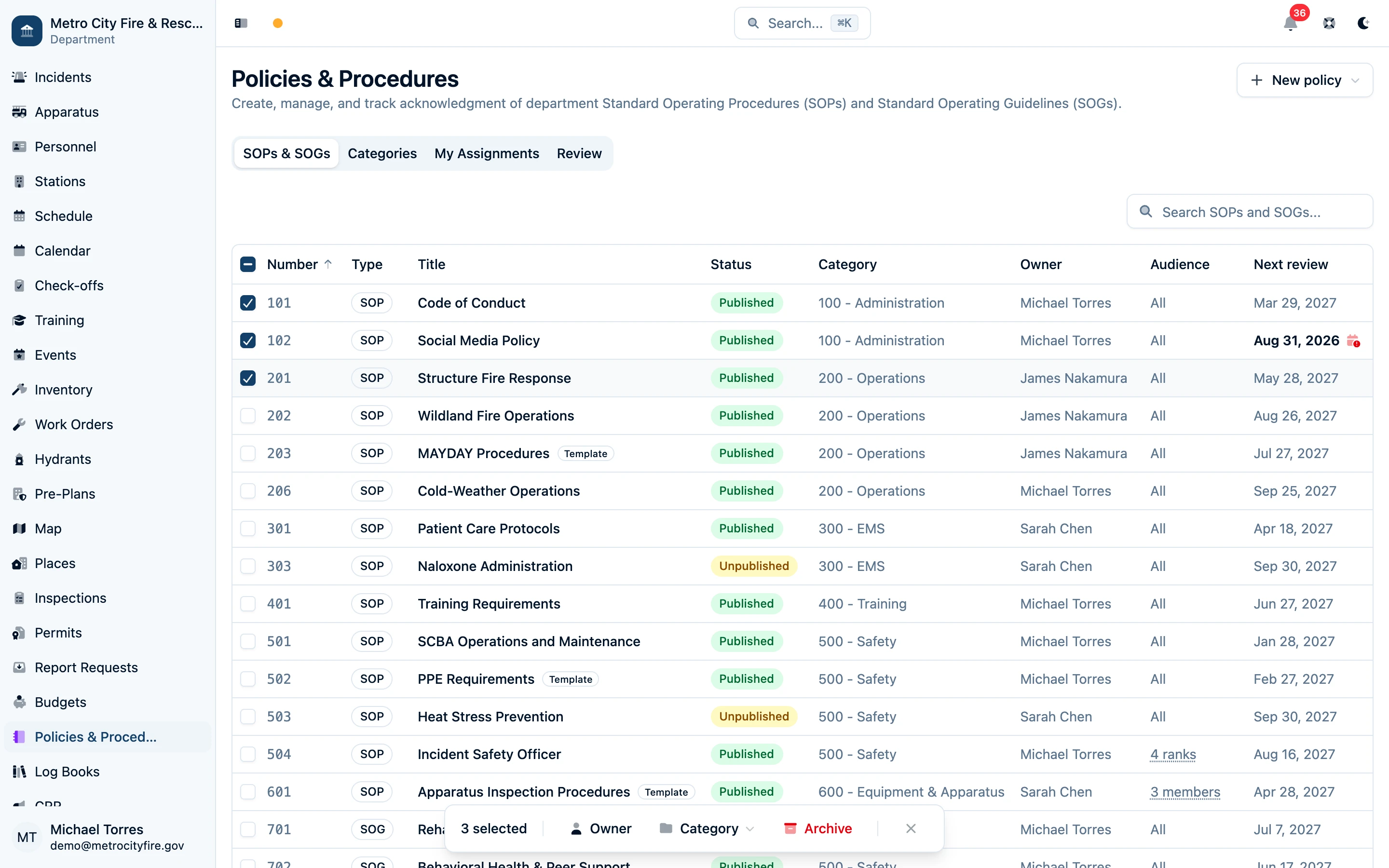
Select the policies you need to manage, then change their owner or category together or archive them when they are retired.
Follow the Policies & Procedures bulk actions guide for selection behavior, permissions, and the effect of archiving on pending acknowledgments.
Approval Workflows That Mirror Your Chain of Command
Every change goes through a draft → review → approval → publish workflow. A training officer drafts a revision. Designated reviewers — chiefs, officers, or whoever you choose — approve it. When it's ready, publish it to the department.
Need changes? Reviewers can reject with comments and send it back to draft. Every action is logged on the version record, so you always know who wrote what, who approved it, and when it went live.
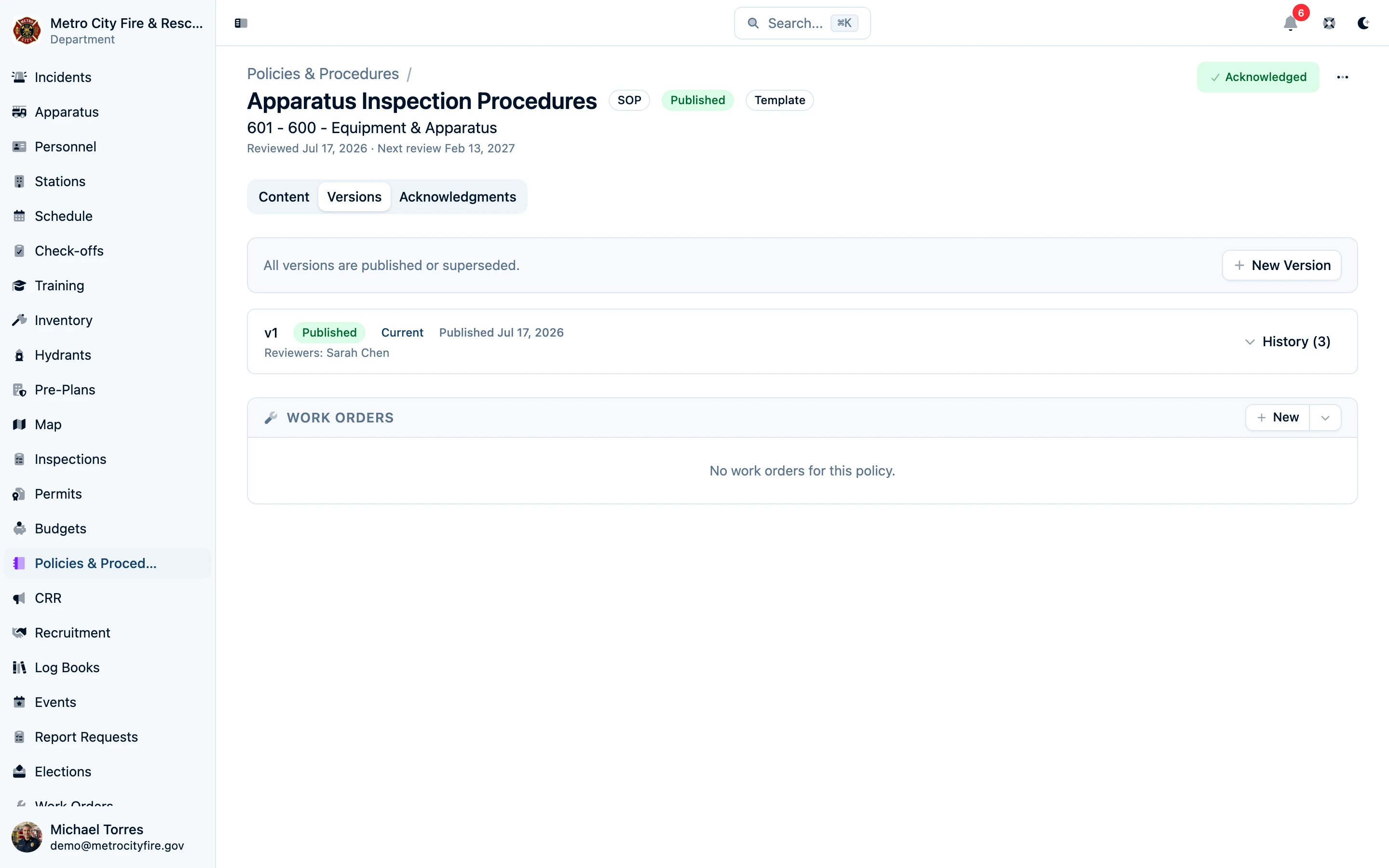
Version history — every draft, review, and publication is tracked with full audit detail.
Target the Right Audience — or None at All
Not every document applies to every member. Assign SOPs and SOGs to all members, to specific ranks (officers-only policies, probationary onboarding, etc.), to groups (a hazmat team, drivers, a station crew), or to individual members. Audiences stay current. When a new member joins, someone is promoted into a targeted rank, or a member is added to a targeted group, they are asked to acknowledge the current version. Edit the audience of a published document and the change applies as soon as you save: newly included members are asked right away, and anyone no longer included has their pending request cancelled.
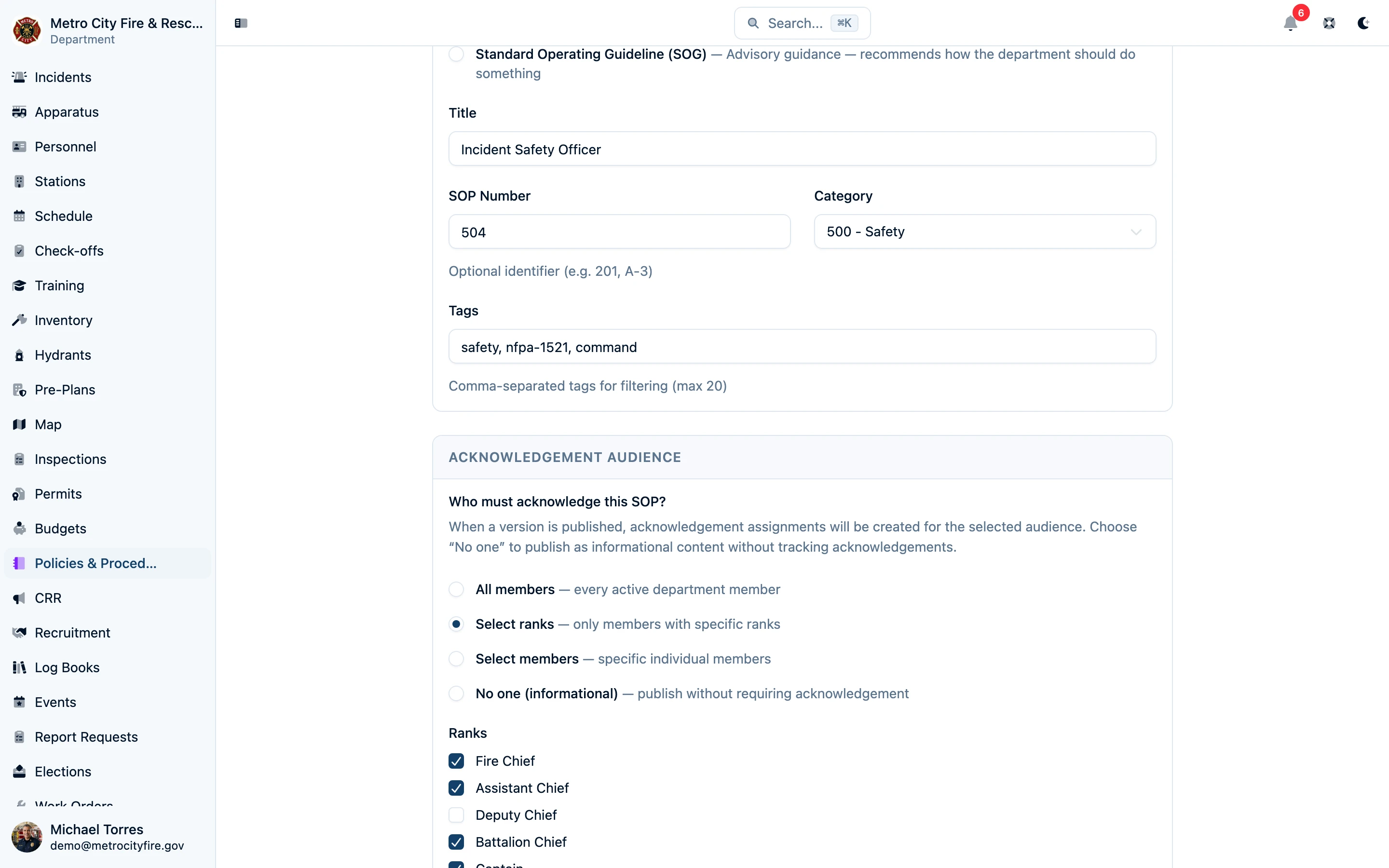
Audience targeting — require acknowledgment from everyone, selected ranks, groups, individual members, or no one for informational content.
For informational SOGs or reference material where formal sign-off isn't required, publish with no audience — the document is available to everyone in the library, but no acknowledgment assignments are created.
Members see their pending assignments on a personal dashboard — they can read, complete any required quiz, sign, and submit their acknowledgment from one guided flow. Officers see who's acknowledged and who hasn't, so nobody falls through the cracks.
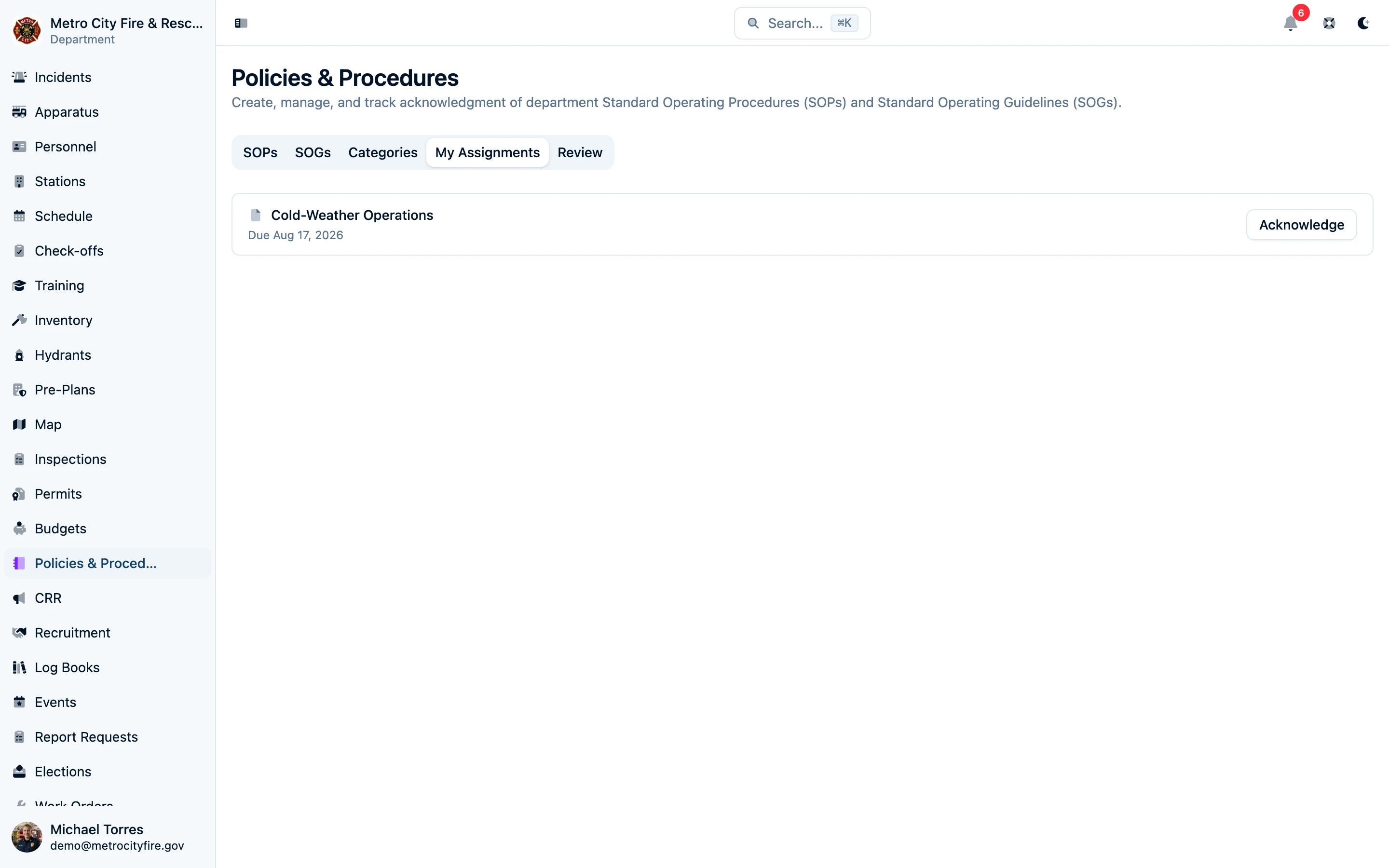
The My Assignments dashboard — members see exactly which SOPs and SOGs they still need to acknowledge.
Show Members Exactly What Changed
When a revision requires re-acknowledgment, Command Established compares the new SOP or SOG with the most recent earlier version that each member actually signed. The publisher's change notes explain why the policy changed, added wording is highlighted in green, and removed wording is highlighted in red. The complete current policy remains directly below the comparison so members keep the full context in front of them before signing.
That member-specific baseline matters when someone missed an intermediate revision: they see everything that changed since the version they acknowledged, not merely the difference from the previous version number.
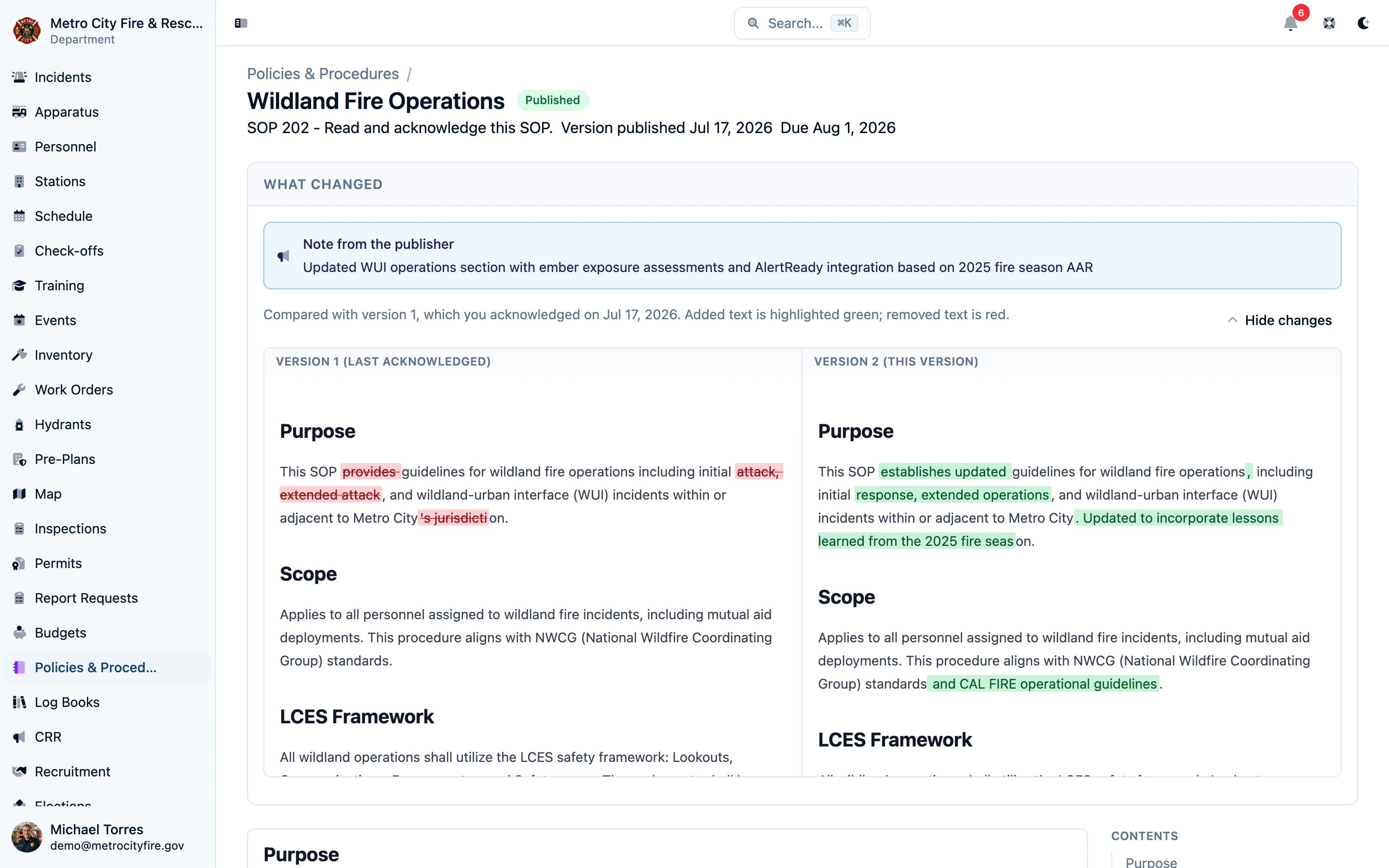
The What changed panel — publisher notes and a personalized before-and-after comparison focus each member on the revision they are being asked to sign.
Confirm Comprehension Before Members Sign
For high-consequence policies, a signature can confirm receipt without proving the member understood what changed. Make a short comprehension quiz part of the acknowledgment when you publish an assigned SOP or SOG. Members must pass it before the signature unlocks.
Generate three to five multiple-choice questions from the policy with AI, then review and edit every prompt, answer choice, and correct answer — or build the quiz manually. A missed attempt shows the member's score and highlights the questions to revisit, with unlimited retakes so the quiz reinforces the policy instead of becoming a one-shot test.
The passing result stays tied to that exact policy version and is carried into the signed acknowledgment record, giving officers a durable answer to both “who signed?” and “who passed the required review?”
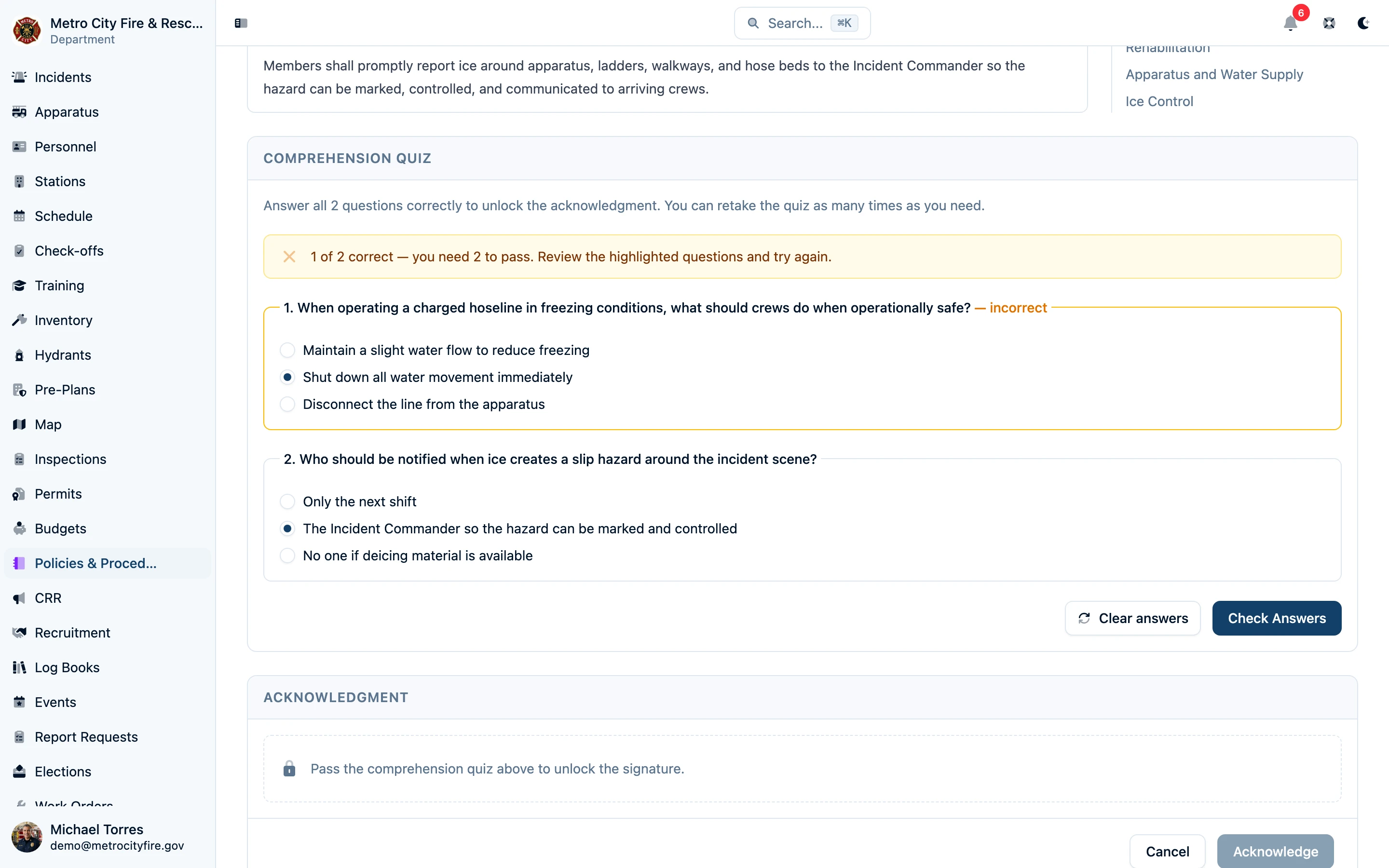
The comprehension quiz — missed questions are highlighted, and the signature stays locked until the member passes.
Signed Acknowledgments with a Full Audit Trail
Every acknowledgment is a real record: who read it, which version, when, and — when you require it — a drawn signature. Need to prove during an ISO audit or a legal discovery that a member read the "Mayday Procedures" SOP published two years ago? It's one click away.
When a new version is published, you choose whether it requires re-acknowledgment. Minor wording fix? Leave existing acknowledgments in place, and only members who haven't signed yet are asked. Major procedural change? Require everyone to re-sign. For advisory SOGs you can skip acknowledgments entirely and publish as informational-only.
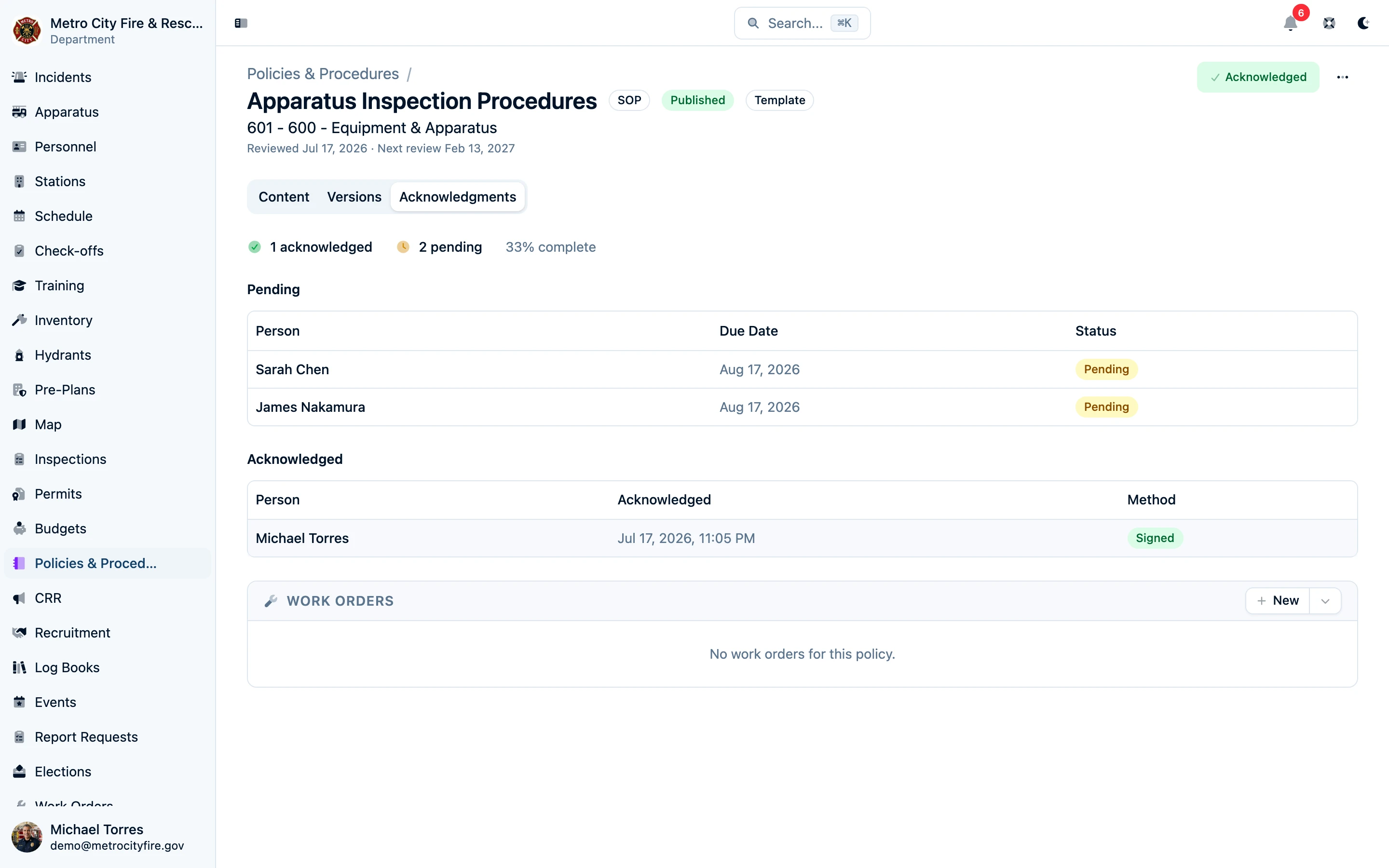
The acknowledgments tab — see every member who has signed the current version with a timestamp and signature.
Scheduled Review Cycles Keep Policies Fresh
Every SOP and SOG can have a review cycle — annual, every two years, five years, whatever your department requires. Command Established tracks the next review date and surfaces overdue documents on the Review dashboard, so nothing sits untouched for a decade.
Officers can mark a document as reviewed in place (no content changes) or publish a new version. Either way, the review clock resets and the audit trail records the action.
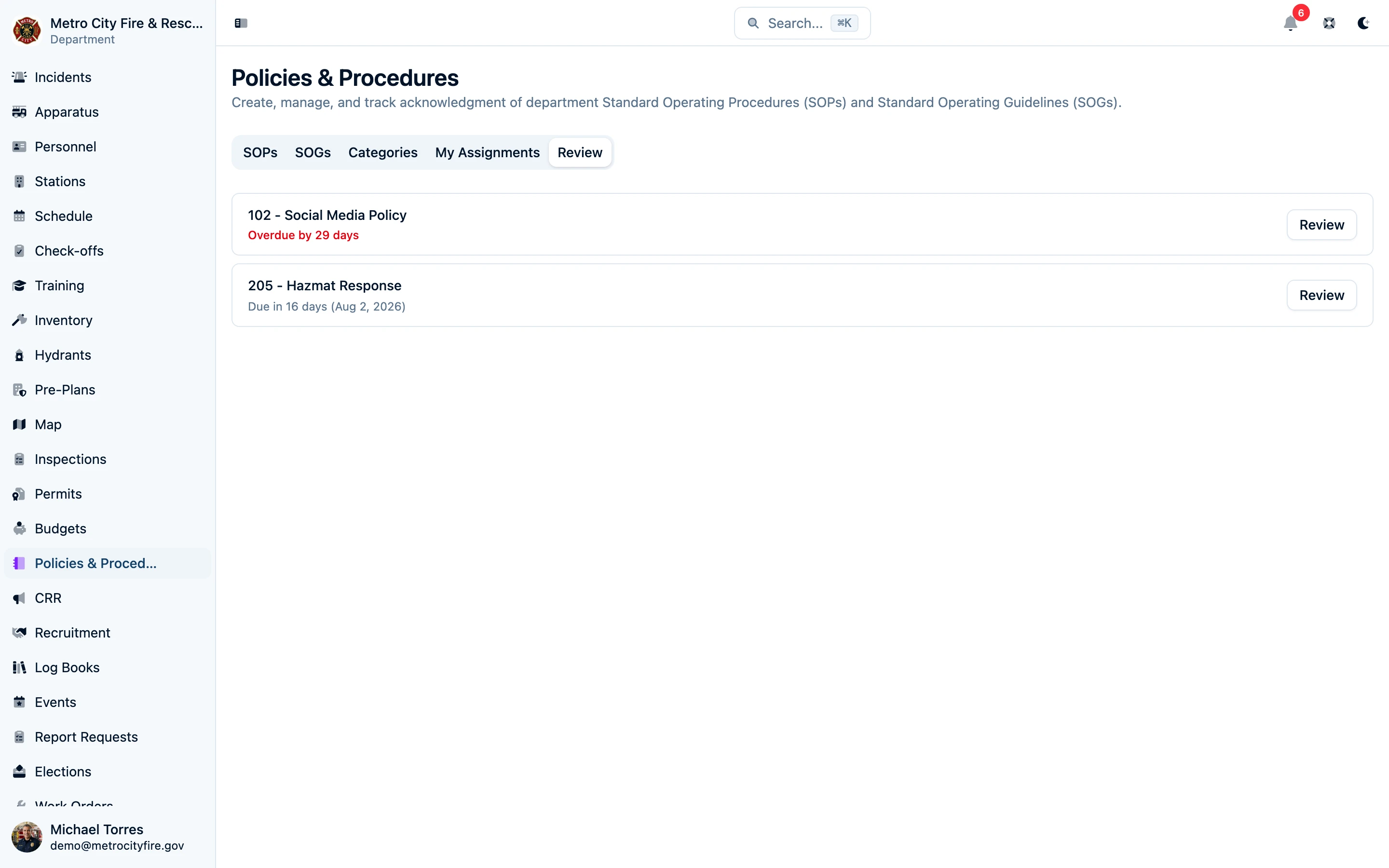
The Review dashboard — see every SOP and SOG awaiting approval, publication, or periodic review.
Built for Every Fire Department
Whether you run a ten-member volunteer company with a thin policy manual or a combination department with hundreds of SOPs and SOGs across multiple divisions, Command Established scales. Document type (SOP or SOG), categories, audiences, review cycles, and acknowledgment requirements are all configurable per document.
And because your policies live in the same system as your personnel records, training, incidents, and apparatus, your crews never have to hunt for them — they're right there in the app they already use every shift.