
See Your Schedule at a Glance
Command Established brings career platoons, volunteer duty crews, and open seats together on a daily staffing timeline, with monthly and weekly calendars for planning ahead. Manage shared rotations, individual schedules, and time-off requests in one place.
Start with our scheduling guide to choose between shared platoons, individual personnel rotations, and duty crews.
See Today's Coverage Hour by Hour
Choose a station in the Day view to see its Timeline. Each apparatus and duty crew has a row, with shift bars showing who is working and when. Open seats mark the hours when coverage falls below your minimums, and an Away section keeps absences visible alongside the day's working crew.
Select an open seat to see what is missing and who is away. Admins and staffing officers can add a shift for those hours directly from the gap. Switch to Roster for a compact list of personnel and staffing counts.
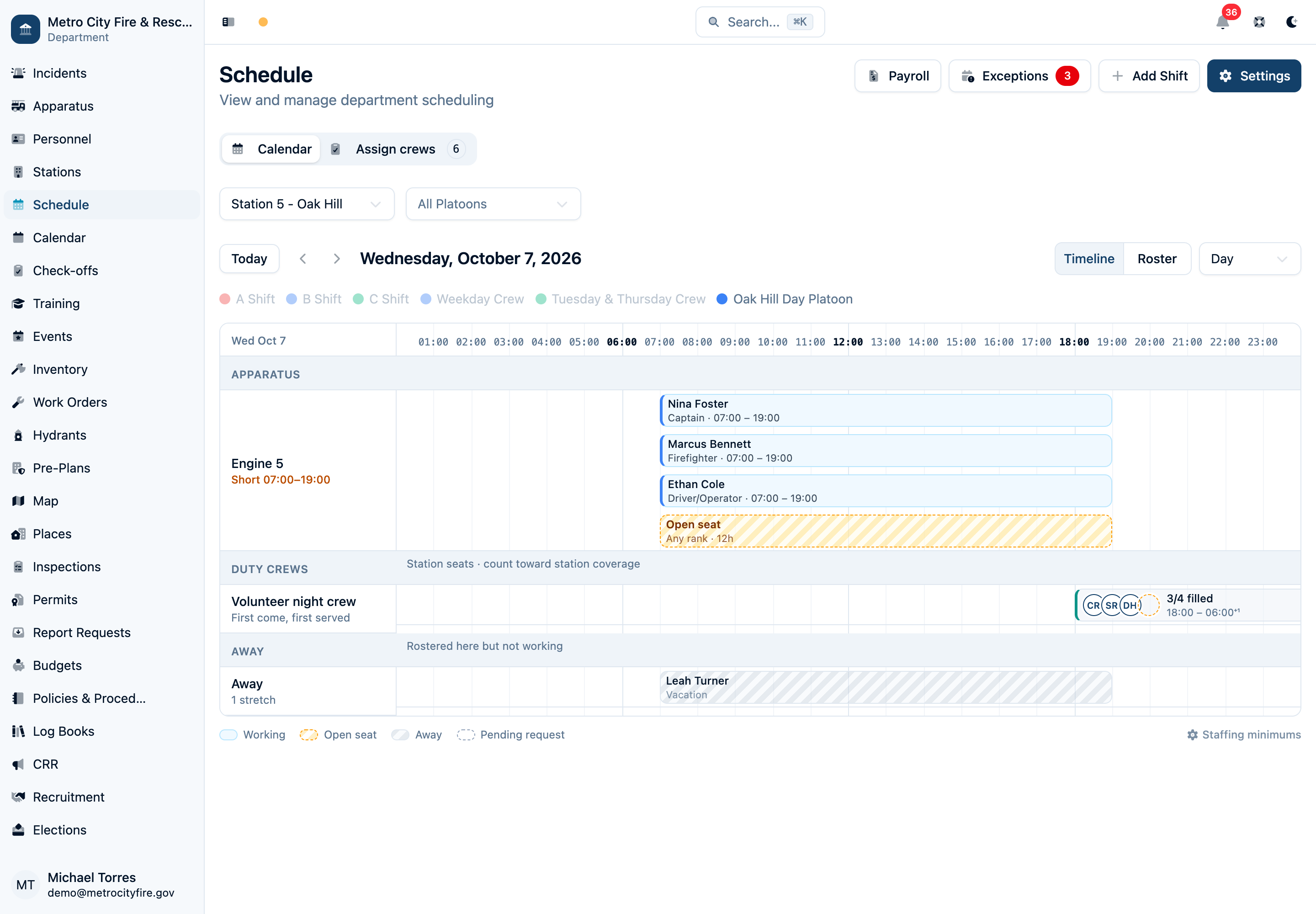
Engine 5's career day platoon, volunteer overnight duty coverage, and vacation share one timeline. An open engine seat shows where the day crew needs help.
Plan Ahead by Week or Month
The Schedule module gives you month, week, and day views so you can see staffing at whatever level of detail you need. Use the monthly view to plan ahead and see who's on shift and who's off across the month.
The monthly calendar shows each day's assignments summarized in the calendar cells. Color coding by platoon or shift makes it easy to see your rotation pattern at a glance and spot gaps before they become problems.
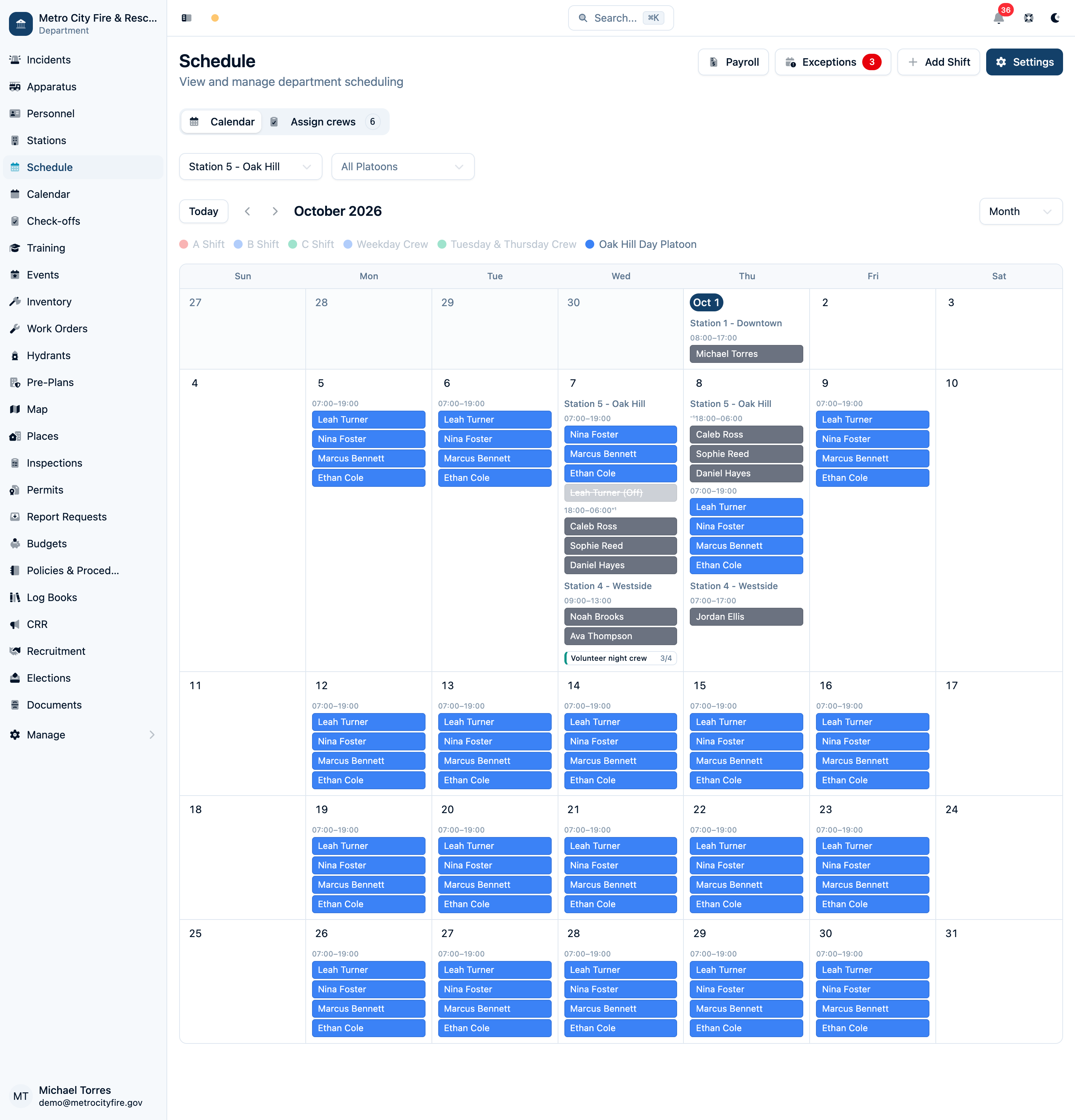
The monthly calendar view brings recurring shifts and duty coverage together for the selected station.
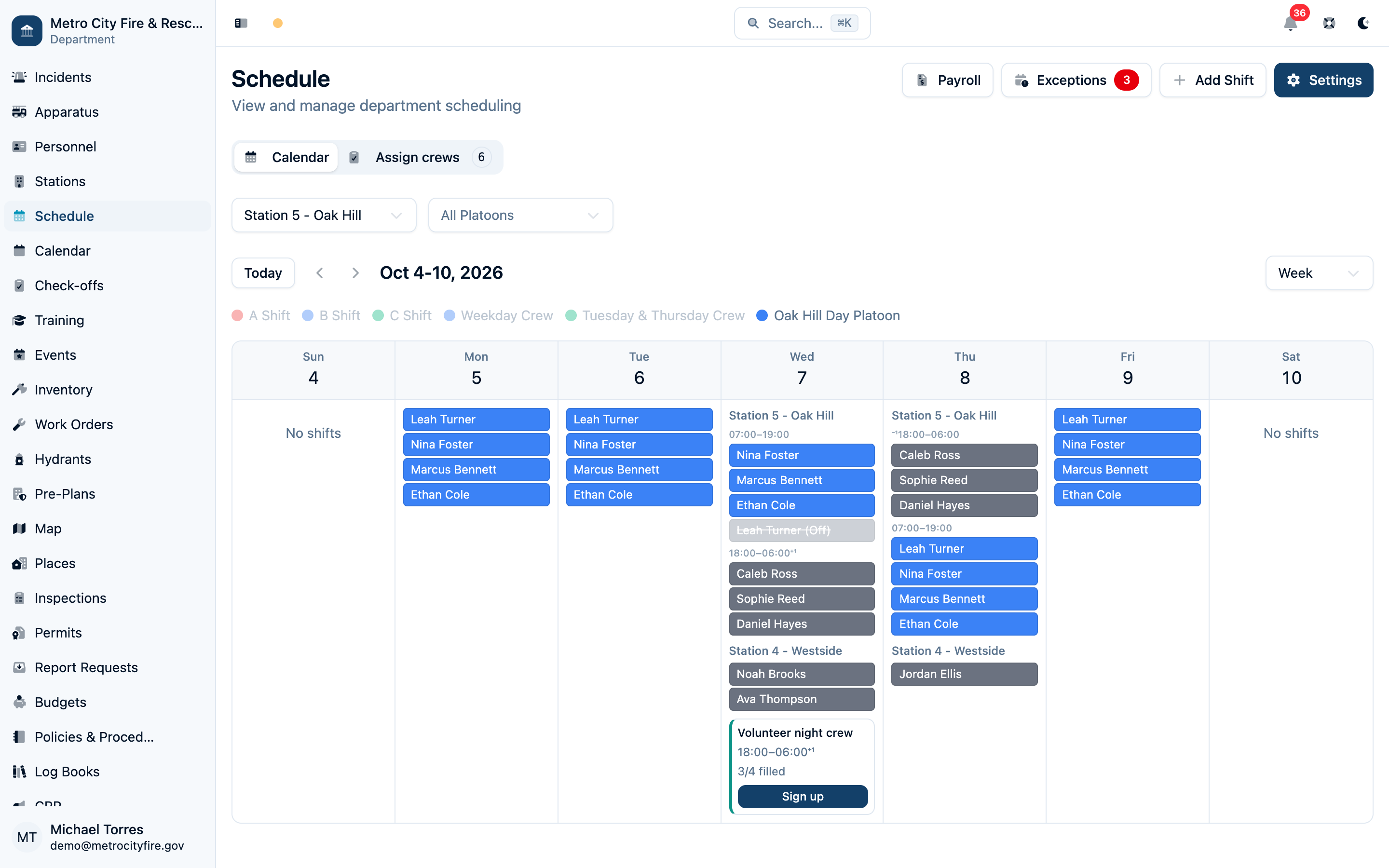
The weekly view drills into individual day assignments, showing exactly who is working each shift.
Assign Personnel to Crews and Apparatus
The People tab connects each member to a shared platoon or their own rotation, along with their station and apparatus. Set minimum staffing requirements to see where your stations and units need more people.
Assignments pull directly from your personnel roster. Effective dates let you track changes in a member's crew or apparatus over time.
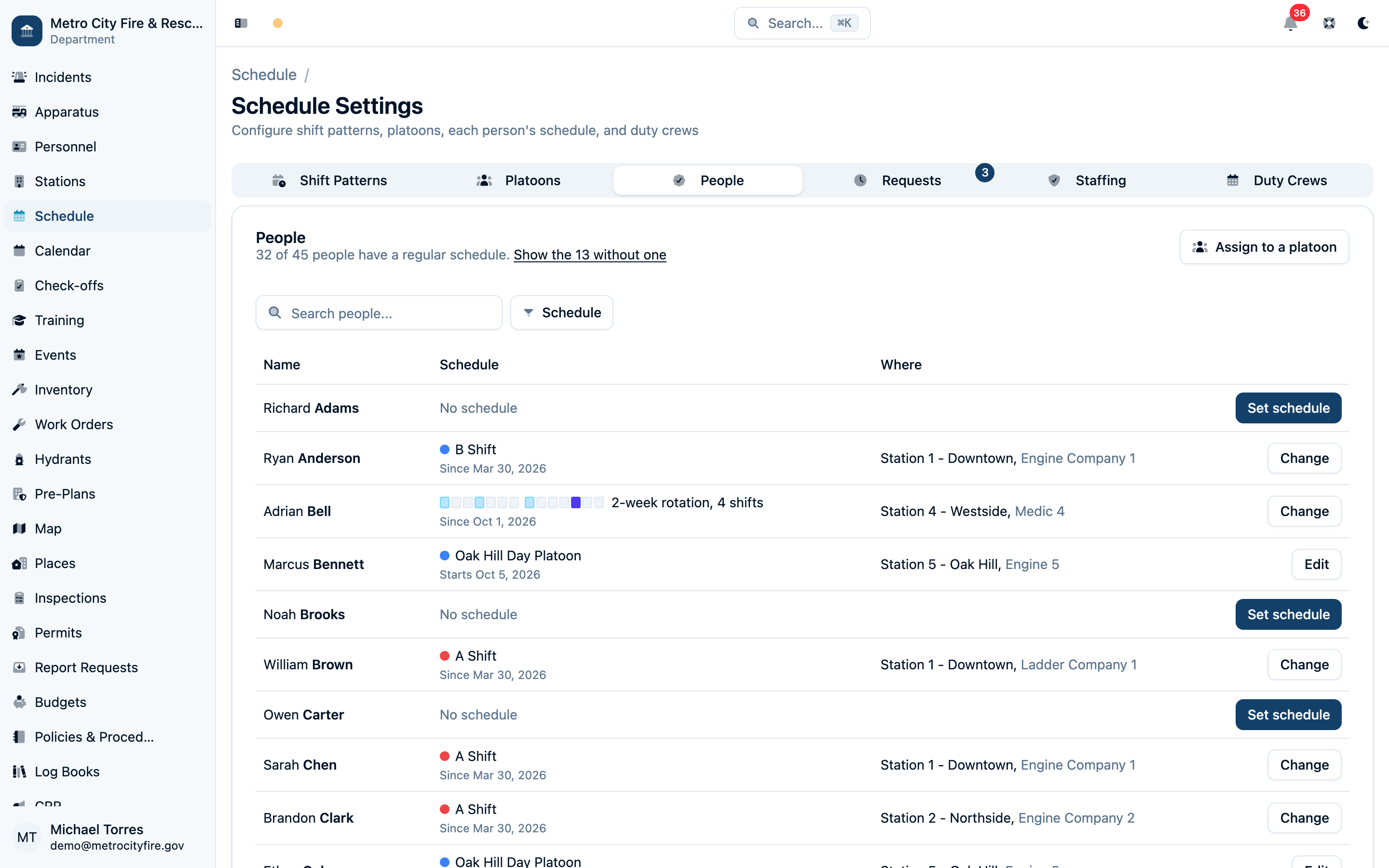
The People tab brings shared platoon schedules and individual rotations together.
Manage Platoons and Rotation Patterns
Define platoon groups that match how your department organizes its workforce. Command Established supports configurable shift rotation patterns—24/48, Kelly, or any custom cycle that fits your department's schedule.
For crews that work the same days each week, choose Fixed Weekdays and pick their days and hours. Our weekly scheduling setup guide uses an EMS example to walk through regular crews, part-time staff, filling vacant seats, and temporary coverage for a detail.
Once your platoons and rotation patterns are configured, the schedule is generated automatically. Each member is assigned to a platoon, and the system populates shifts accordingly. Changes to the pattern propagate forward automatically.
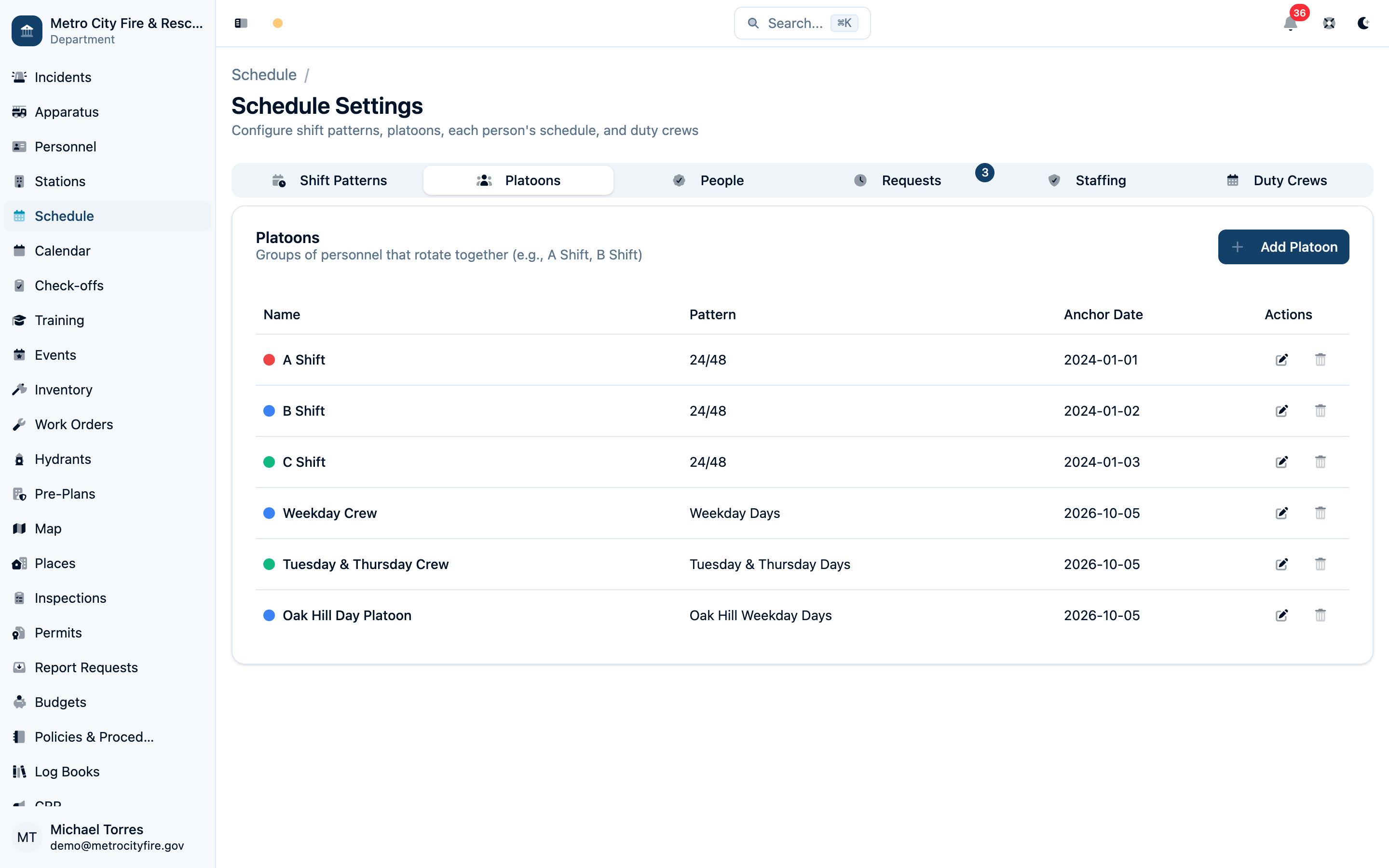
Platoon configuration—define your shift groups and rotation pattern once, and the schedule is populated automatically.
Handle Time-Off and Schedule Exceptions
Personnel can submit time-off requests directly in Command Established, and officers can approve or deny them from the same screen. Approved requests automatically update the schedule so the gap is visible immediately.
Schedule exceptions—trades, overtime, and special assignments—are tracked separately from the base rotation so your records accurately reflect who actually worked each shift. The exception log is always available for payroll and reporting.
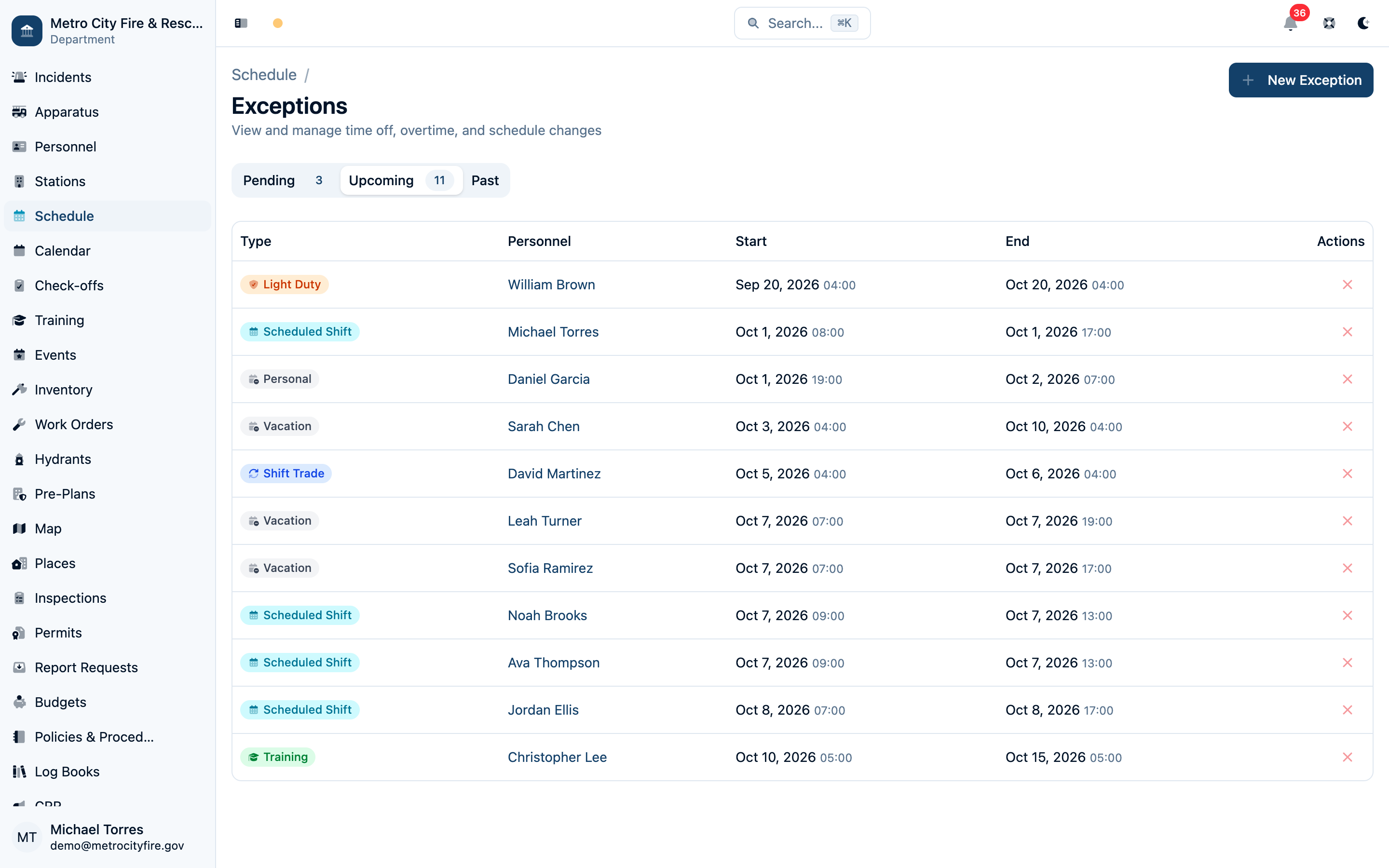
Upcoming exceptions show approved changes to the regular schedule. Use the Pending tab to review requests before they take effect.
Staff Duty Crews Without the Phone Tree
Volunteer and combination departments run on duty crews as much as rotations. Set up a recurring shift—weekend nights at Station 2, say—or a one-off like storm coverage, with as many seats as you want or no cap at all, and a minimum below which officers get an alert.
Pick how each crew fills. First-come lets members sign themselves up from the calendar, the dashboard, or a phone. Officer-assigned lets members ask for a shift and a duty officer pick the crew. The officer sees everyone who asked, in the order they asked, with their notes—then the rest of the roster grouped by rank, flagged when someone is already on a rotation shift, holding another duty seat, or on approved time off. Ticks save as they go; one button publishes a crew, or a whole week.
Members always know where they stand. Every shift shows their own conflicts before they commit, members who request a shift hear whether they were selected and how open seats can be filled, and anyone put on a crew is notified. Someone who can't make it inside the late-drop window says why, and the officer is told right away.
Duty seats count toward staffing and show on the roster and the department calendar. Duty crew seats add hours to payroll reports when the crew's schedule is set to include them. See Duty Crews for setup and Running Payroll Reports for the hours included in payroll.